Here's a conversation we have with MSPs more often than you'd think. We ask, "How are you handling GDAP?" and the answer is some version of: "Oh, we did that migration a while back. We're sorted." And then we look at how access actually works day to day, and it turns out the migration was the easy part. The operating model never showed up.
If that's you, no judgement — Microsoft made the migration feel like a finish line. But Granular Delegated Admin Privileges (GDAP) isn't a one-time project you complete and forget. It's a way of working. Let's talk about why, and what "doing it properly" actually looks like when you're running dozens or hundreds of tenants.
A quick recap of how we got here
For years, MSPs accessed customer tenants through Delegated Admin Privileges (DAP) — which, in practice, often meant standing Global Admin access across every customer you touched. Convenient, and a security nightmare. One compromised partner account could mean Global Admin in every downstream tenant.
Microsoft agreed it was a problem and acted. As the Microsoft Learn documentation on the DAP-to-GDAP transition lays out, Microsoft began transitioning DAP relationships to GDAP roles in 2023, started granting GDAP (not DAP) by default for new customers from September 2023, and has since disabled remaining DAP access. The era of standing Global Admin across the board is over, and that's a genuinely good thing.
GDAP exists to deliver least-privileged access following Zero Trust principles — granular, time-bound access to exactly the workloads a partner needs, and nothing more.
Why "we migrated" isn't the same as "we operate"
Here's the gap. Migrating to GDAP gets you off DAP. It doesn't, by itself, give you an ongoing system for managing least privilege at scale. And GDAP has some built-in characteristics that demand an ongoing system, per the GDAP FAQ on Microsoft Learn:
- Relationships expire. GDAP relationship requests expire after 90 days if not accepted, and the maximum duration of a relationship is two years. You can set auto-extend, but the clock is always running on something.
- Roles attach to groups, not people. GDAP assigns Microsoft Entra roles to security groups in your partner tenant, not to individual users. Which means your access model is only as good as your group hygiene.
- Every relationship is granular. That's the whole point — but granularity multiplied across hundreds of tenants is a lot of moving parts to keep consistent.
Now picture that across a real MSP book of business. Different customers onboarded at different times, with slightly different role sets, relationships expiring on different dates, and security groups that someone set up eighteen months ago and nobody has reviewed since. The migration was a single event. Keeping all of that correct, consistent and auditable is a permanent job.
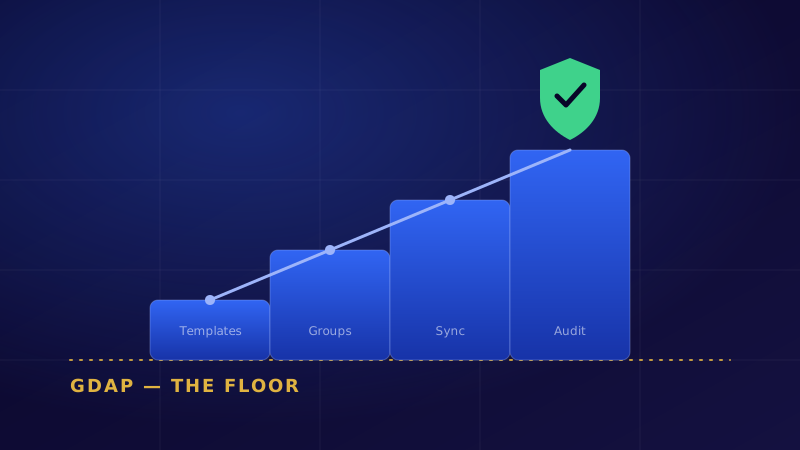
That's what we mean when we say GDAP is the floor, not the finish line. Microsoft handed you a much better access model. Whether it actually stays least-privilege depends entirely on how you operate it.
Least privilege is a workflow, not a checkbox
The MSPs getting real security value from GDAP treat it as a living workflow. The guidance on managing GDAP across multiple CSP environments boils the best practice down to three habits: create standardised, role-based access templates; map those templates to security groups in your partner tenant; and use Partner Center to handle customer approvals consistently.
In plain terms, that means a few questions you should be able to answer instantly:
- Which of my people can do what, in which customer tenant, right now?
- When I take on a new customer, do they automatically get the same least-privilege role set as everyone else — or does someone configure it by hand and hope?
- Which relationships are about to expire, and what breaks when they do?
- If there's an incident, can I show a clean audit trail of exactly which role performed which action?
If answering those means exporting spreadsheets and squinting at Partner Center, you don't have an operating model. You have a migration and some good intentions.
How DendronAI turns GDAP into an operating model
This is where DendronAI starts from a fundamentally different place than tools that were built for a single-tenant enterprise and then stretched to fit MSPs. It's built for the buyer who runs other people's tenants — and GDAP isn't bolted on, it's part of the architecture.
A few specifics that matter:
GDAP-only, by design. DendronAI never uses delegated admin. Access is granular and time-bound, and every action is audited against the role it used. That last part is the difference between claiming least privilege and being able to prove it when a customer or auditor asks.
Per-tenant scoped tokens. Every Microsoft Graph call carries a tenant-scoped token, so customers stay isolated and cross-tenant leakage isn't possible. Your access model and your isolation model are the same thing, rather than two systems you hope agree with each other.
Partner Center sync. Your customer list comes from Partner Center, not a CSV. Onboard a new tenant and the platform already knows about it — which is exactly how you keep role sets consistent across a growing book without hand-configuring each one.
Cross-tenant operations with preview and rollback. When you push a policy change across multiple tenants, you can preview the before-and-after difference and roll it back in one click. Least privilege and safe change management reinforce each other instead of competing.
Put those together and GDAP stops being a thing you survived and becomes a thing you operate — visibly, consistently, and with an audit trail you'd be happy to hand over.
The fair counterpoint
Let's be balanced. You can absolutely operate GDAP well with native Microsoft tooling and disciplined process — Partner Center, well-designed security groups, and a calendar of relationship reviews will get a careful, smaller MSP a long way. Tooling doesn't replace discipline; it scales it. And no platform removes your responsibility to design sensible roles in the first place — garbage role design, centralised beautifully, is still garbage role design.
The argument isn't that you can't do this manually. It's that doing it manually across a growing tenant count is exactly the kind of repetitive, high-stakes, easy-to-let-slip work that quietly degrades until an incident exposes it.
The takeaway
Microsoft did the hard, necessary thing by killing standing Global Admin and pushing the channel toward least privilege. That was the floor being raised for everyone. The question now is whether your access stays least-privilege on a random Tuesday eight months from now, when a relationship has expired, a new tech has joined, and three customers were onboarded in a hurry.
If you'd like to see what GDAP looks like as a living operating model rather than a completed migration, take a look at DendronAI. We'll walk through your tenant shape and show you the difference between having GDAP and operating it.
